Processing return shipments at the warehouse
So how do you actually handle the returns you receive?
Handling via handheld terminal
When a package is returned to the warehouse, simply scan the shipping label on the box – exactly as when you process orders normally. When a return label generated through Lagersystem is scanned, the system knows that it's a return case. The return order then appears on the handheld terminal with the items that are to be returned:
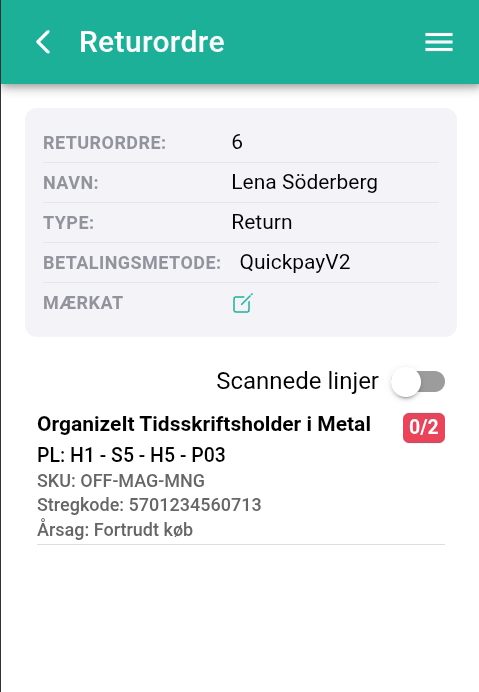
Next, scan the barcode on the returned items.
For each scanned item, you'll be asked whether the item can be put back into stock:
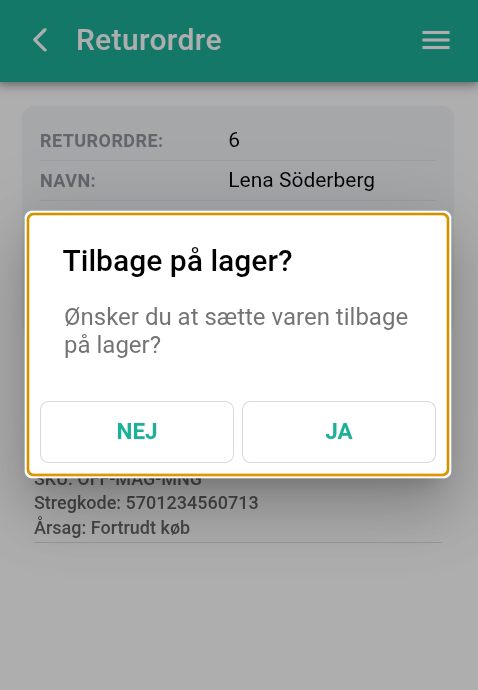
If you choose yes, your stock count is increased.
If you choose no, the stock count is not adjusted.
Once you've scanned all the returned items and decided whether they can be put back into stock, the order is completed in Lagersystem. An email is sent to the customer and the order is completed in your backend system.
The customer has sent back the wrong number of items. What do I do?
You may find that your customer hasn't sent back the number of items stated on the return form. For example, a customer may have ordered 10 units of an item. He changes his mind and states that he wants to return all 10 units, but overlooks one of the items and puts 9 units in the box. You discover this once you've scanned the items that have been returned.
If this happens, you have two options:
- Contact the customer and ask whether it's a mistake. If it is, they can send the missing item afterwards.
- If the customer actually only wanted to return 9 units, you need to find the order in Lagersystem on the computer and adjust the quantity on the order page. You do this using the plus and minus signs on the return order page:
Once the quantity on the order has been adjusted to the correct amount, you can scan the shipping label again, and the correct quantity will then appear on your handheld terminal, allowing you to complete the return order as normal.
Handling via Lagersystem on the computer
You can also handle your returns directly in Lagersystem by using the Handle function from the return order page or from the overview of return orders:

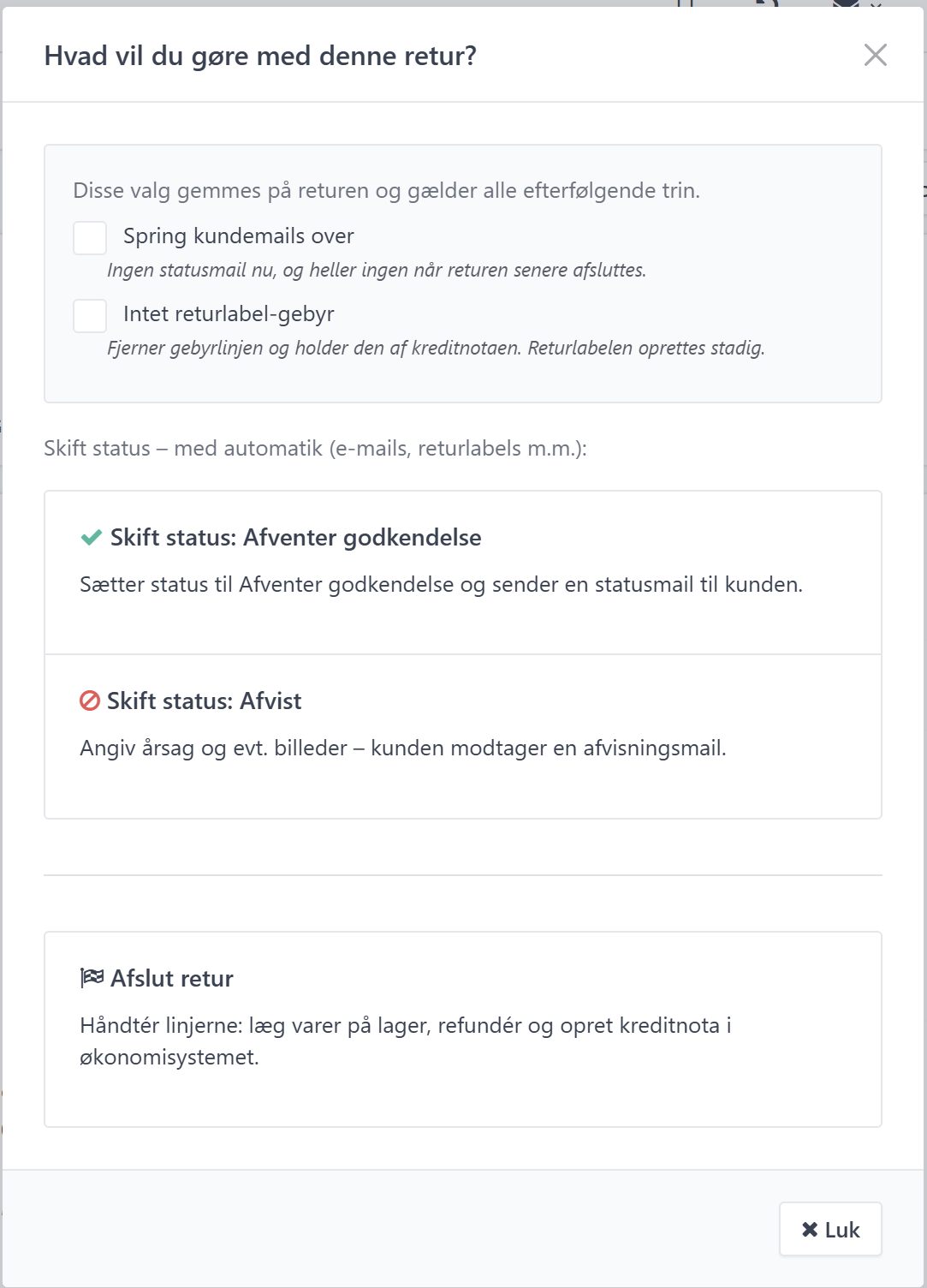
When you click the Handle button, a window opens with the question "What do you want to do with this return?". Here you can tick the checkboxes Skip customer emails and No return label fee, if relevant, and then choose one of the actions:
- Change status: Awaiting approval – sets the status to Awaiting approval and sends a status email to the customer.
- Change status: Rejected – here you specify a reason and optionally images, after which the customer receives a rejection email.
- Complete return – processes the lines by putting the items back into stock, issuing a refund, and creating a credit note in the accounting system.
Once you've made your choice, the order is updated in Lagersystem. An email is sent to the customer, and the order is completed in your backend system if you choose to complete the return.