Customise the frontpage dashboard
Your frontpage (Dashboard) can be equipped with its own small set of KPI widgets, shown at the top of the page, above the fixed key figures. It's free and doesn't require any of the settings otherwise used by the wall-mounted screens under Dashboards — the frontpage widgets have no screen link, refresh interval, or opening hours, because the grid is shown together with the page in the browser instead of being displayed and refreshed on a fixed screen.
The widgets are edited in the same grid-based editor used for the wall-mounted dashboards, but as a standalone page with its own layout — it is not one of the regular dashboards from the list.
How to find the editor
- Go to your frontpage (Dashboard). If widgets haven't been set up yet, you'll find a link in an info box at the top of the page that takes you straight to the editor. If widgets are already set up, you'll instead find an edit link right above them.
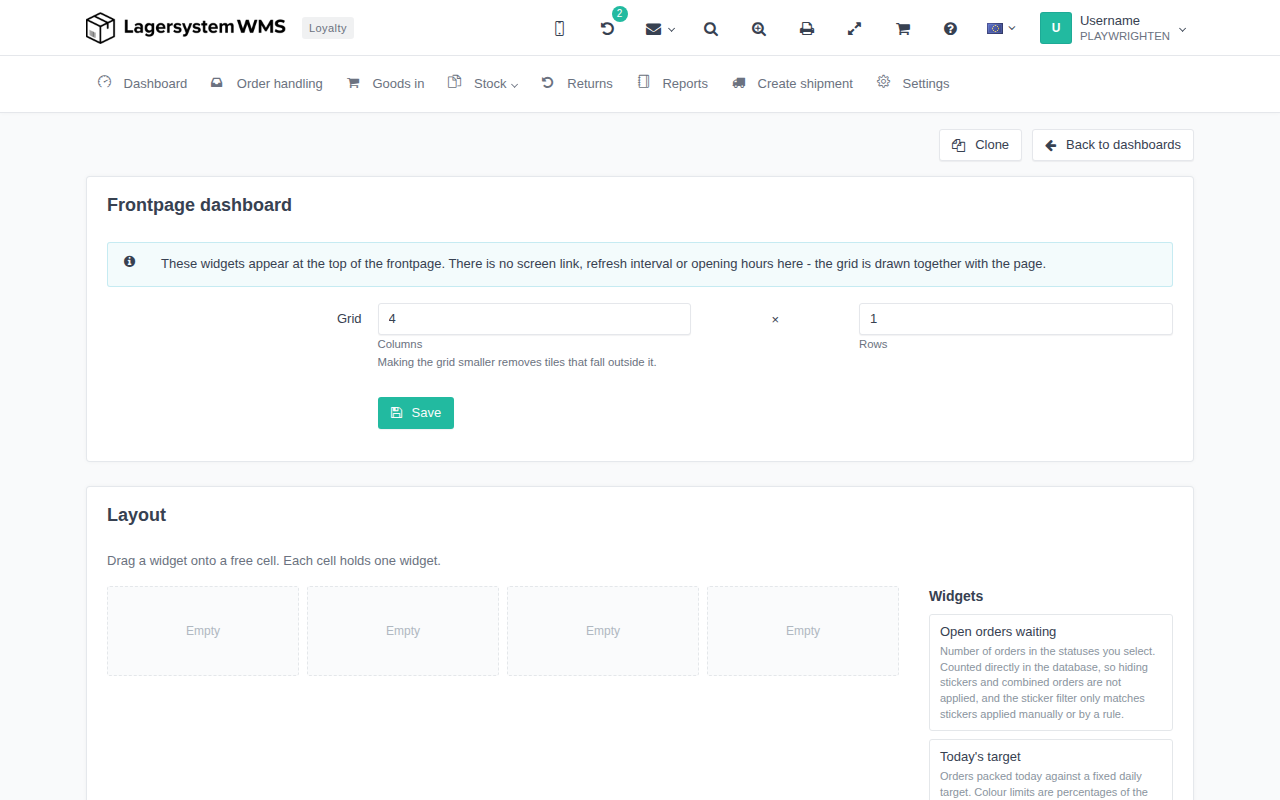
Editing the frontpage widgets
The Frontpage dashboard page shows an info box reminding you that the grid has no screen link, refresh interval, or opening hours, because it's shown together with the frontpage itself.
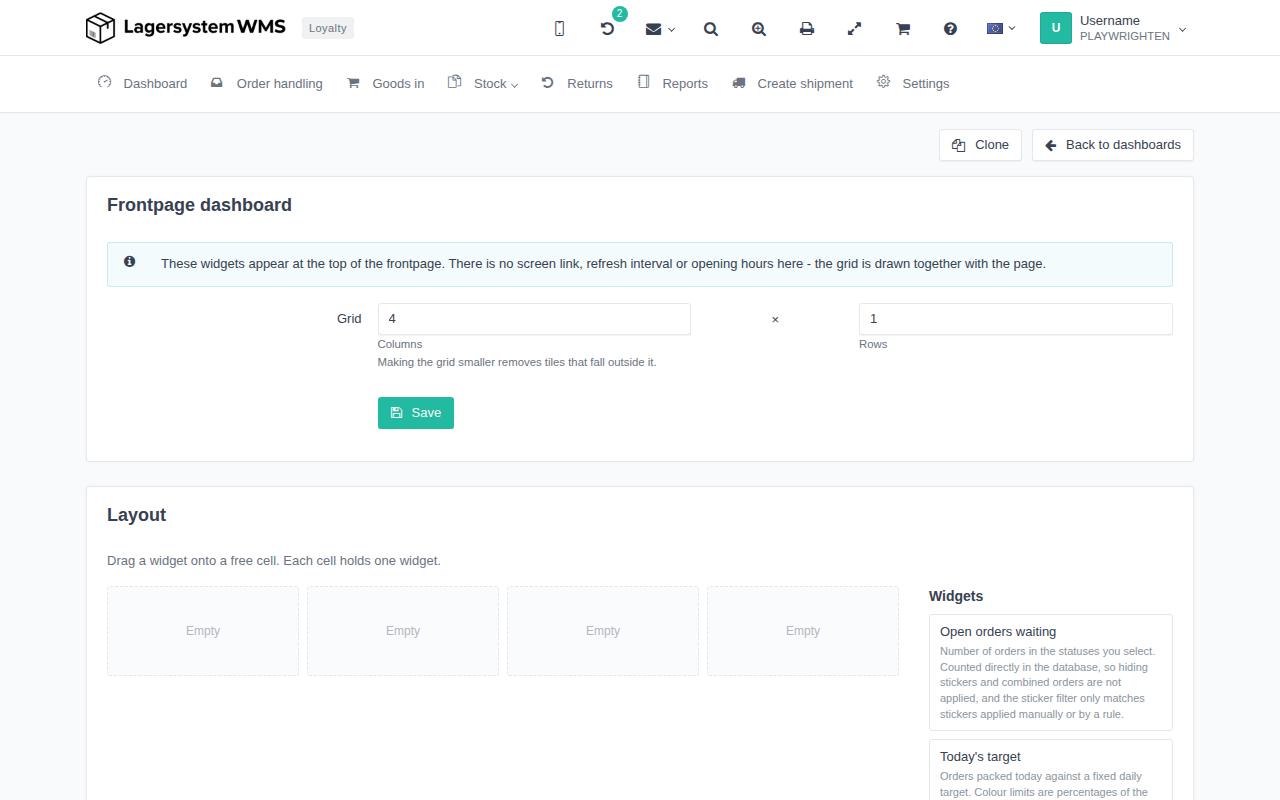
Grid size
Under Grid, you set how many Columns and Rows the grid should have. If you make the grid smaller, the tiles that fall outside the new, smaller grid are removed. Click Save to save the size.
Layout
In the Layout section, you drag a widget from the Widgets panel onto a free cell in the grid — each cell holds one widget. The panel lists the widgets that can be used, with a short explanation of what each of them shows.
Other actions on the page
At the top of the page, you can click Clone to make a copy of the current widget setup, or Back to dashboards to leave the page again.